Microsoft Teams as an intranet? Viva Connections makes it possible!
Why integrate?
For many employees, Teams is the central digital place from which they work. Besides email (Outlook) and any company software, the company intranet is another separate channel that needs to be accessed separately. Of course, you can solve this by including a link from Teams to the external portal or the company's own SharePoint site(s). But wouldn't it be better if employees didn't have to leave the Teams environment to go to the company intranet? Just be able to view the company intranet in their Teams environment and thus not be taken out of their workflow? Microsoft also sees the benefits of this. With Viva Connections, the company makes it possible to also use the Teams environment as a company intranet. A great step as far as we are concerned!
What is Viva Connections and how does it work?
First, it's good to know that Viva Connections is included by default with a Microsoft 365 enterprise subscription. It is part of the new Microsoft Viva Platform and works closely with SharePoint. So the basis of the "new" intranet in Teams is still SharePoint. Only a usable interface has now been created to actually use the corporate intranet in Teams. With the right setup and proper maintenance, this creates a dynamic place for sharing both static and interactive information.
According to Microsoft, Viva Connections is "your gateway for a modern employee experience to keep everyone engaged and informed" and the application also allows you to work with Microsoft increasingly across teams and channels. Also, the "branded App experience" ensures an optimal corporate experience for your employees. In addition, there are indications that Outlook may also be integrated into Teams. This development fits into Microsoft's picture of the "modern employee experience," so we won't be surprised!
Ditio intranet in Teams
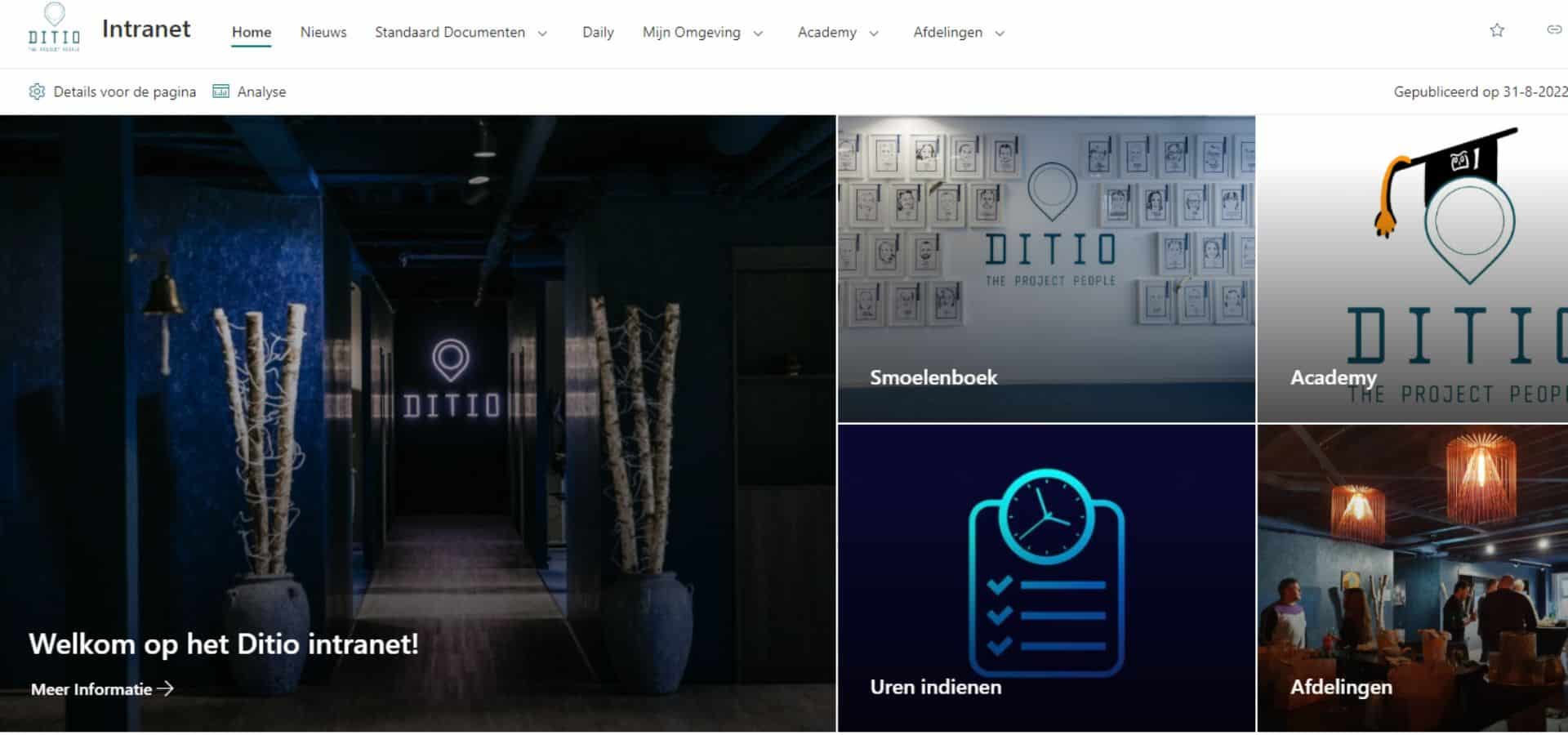
Naturally, we were eager to start trying out this new tool. Using the existing and familiar Microsoft apps, we created a central branded Ditio hub where our Ditiosi can go for all important information. Because you can add many different Microsoft web parts to a page, as an organization you can completely determine what the intranet will look like.
Classification
After consulting with various departments, we finally decided to set up our intranet to include the following components:
- Menu bar; links to important pages
- Directory; overview of all employees including contact information
- Departments; pages with department-specific information
- News; overview of the latest company news
- Links; to important documents such as the staff guide and templates and to tools such as the timesheet, for example
- Group calendars; with upcoming events and with birthdays and anniversaries
- Photo albums; of company outings, information meetings, etc.
- Apps; for example, booking an office spot and signing up for events
- Chats; by team or department
In practice
Once Viva Connections was set up in the SharePoint environment, the app was made available in Teams. The intranet was then pinned as the first app in the left menu bar. This way, all Ditiosi have instant access to the intranet when starting Teams and are immediately shown the latest news. This way they immediately start the day up-to-date and don't have to search for information.
Mobile version
Because not everyone is always at their workstation or behind a laptop, we have also made a mobile version available. A more compact version than the desktop version, but with largely the same functionalities. This way, wherever our colleagues are, they can always access all the important information.
Management as a success factor
Of course, the success of an intranet in Teams also falls and stands with proper management. If the environment is not up-to-date, the project will be doomed to fail. It is therefore important to make good agreements already during development on how and by whom the Teams intranet will be maintained, what kind of content will be posted, etc. Often this will be a marketing and/or communications department.
Our verdict on Viva Connections
At Ditio, we are excited about this new application from Microsoft. So we definitely recommend a Teams intranet with Viva Connections to our clients. In fact, we are already delivering the first Teams intranet environments. Of course, all according to the needs and wishes of the organizations concerned.